Best AI Stem Splitter Tools in 2026 (Free and Paid): 7 Tested
My stack My fav 6 tools for AI music after testing 70+
-
 ElevenMusic · Music generation
 -
 Moises · Stem separation
 -
 Controlla · Voice swap & cloning
 -
 Cryo Mix · Mixing + mastering
 -
 Neural Frames · Music videos
 -
 ONCE · Distribution
Some links are affiliate links — I earn a commission at no cost to you. Every tool here is one I run myself and truly believe in. This stack is proven.

The best AI stem splitter in 2026 depends on one question: do you want the cleanest stems, or the least friction? For clean stems in a browser, Moises beat every other upload-and-split tool I ran at a creator’s price, and AudioShake beat Moises if you’ll pay per stem. For 6 stems in one pass, LALAL.AI. For free, SoundBoost in the browser and Ultimate Vocal Remover on your desktop.
I tested 7 AI stem splitters against the same track, 4 of them with a free tier you can use today. The comparison table lists the AI model and the free limit for each one, because those 2 columns decide most purchases.
TL;DR: the best AI stem splitters in 2026
The short version, by job:
- Moises: best browser stem splitter for quality, plus chords, metronome and pitch tools for practice.
- Ultimate Vocal Remover (UVR5): best free stem splitter for quality, runs on your machine, needs a GPU.
- SoundBoost: the best free stem splitter in the browser, 5 stems with no signup.
- LALAL.AI: best paid tool for 6-stem splits and the only one with an offline plugin.
- AudioShake: one of the best separation models on the market, the one Disney and Netflix run, priced per stem for labels and sync teams.
Budget pick: SoundBoost or BandLab Splitter. Inside a DAW: iZotope RX 12, or the splitter your DAW already ships with.
How I tested these 7 AI stem splitters
I started from 12 tools and kept 7. Each one got the same 3-minute track: a full band mix with lead vocal, a doubled chorus, electric guitar, piano and live drums, uploaded as a 24-bit WAV. For the browser tools I ran the default split and, where the tool offers one, the highest-quality mode. For UVR I ran Kim Vocal 2 for the vocal and MDX23C-InstVoc HQ for the instrumental. For RX 12 I used Music Rebalance at its slowest setting.
One credit up front. Where I lean on ears other than mine, they belong to Music By Mattie, who ran 13 songs through 12 splitters, graded every stem for separation, artefacts and tone, and published the lot. It is the most thorough public test I know, and the per-stem picks further down rest on it. Watch it after this article, not instead of it.
Then I listened for the same 4 things on every result: bleed (guitar leaking into the vocal stem), artefacts (the underwater warble on sustained notes), transients (do the drum hits still snap) and reverb tails (do they survive or get chopped).
The scores below use 5 criteria, weighted by what matters when you plan to release the result:
- Output quality (30%): how clean are the stems, and how much cleanup do they need?
- Licensing safety (25%): does the vendor say what it trains on, and does it train on your uploads?
- Control (20%): can you pick stems, models, and quality modes, and fix a bad split?
- Workflow and export (15%): WAV or MP3, batch, plugin, and how fast the stems land in your DAW.
- Price (10%): how far the free tier goes, and what the paid plan costs an indie creator or a working engineer.
Each criterion gets 1 to 5 dots. The dots roll up into a star rating out of 5, weighted by those percentages, and every tool is scored against its own group (browser tools against browser tools, local tools against local tools).
Quick comparison: which AI stem splitter is free, and what does each export?
Read the Free tier and AI model columns first.
| Tool | Type | Best for | Stems | AI model | Free tier | Exports | Pricing from |
|---|---|---|---|---|---|---|---|
| Moises | Browser + apps | Quality and practice | 2 to 6 | Music AI (own) | 5 tracks a month | MP3, WAV on paid | $3.99/mo |
| LALAL.AI | Browser + desktop + VST | 6-stem splits and the plugin | Up to 6 per pass, 11 types | Andromeda (cloud), Lyra (local) | 10 minutes, previews only | MP3, WAV, FLAC | 6.75 euros/mo annual |
| SoundBoost | Browser + iOS + Android | Free stems and practice | 5 free, 7 on Plus | Not disclosed | 5 stems, no signup, 750 MB | MP3 free, WAV paid | Free; Hi-Fi stem separation from $16/mo |
| BandLab Splitter | Browser + apps | Free unlimited 4-stem | 4 free, 7 on Membership | Not disclosed | Unlimited, 15-min cap | WAV, MIDI on Membership | Free |
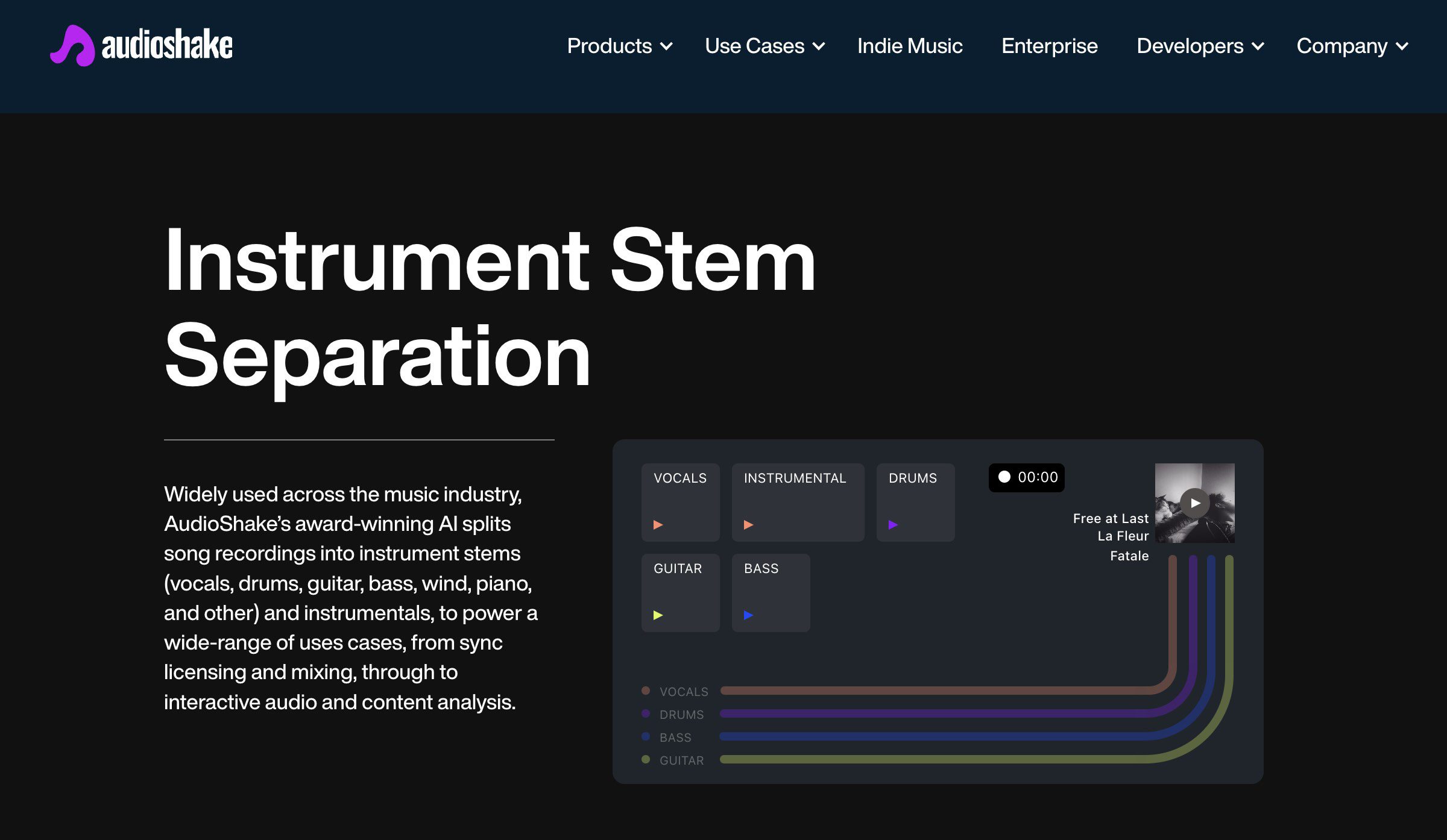
| AudioShake | Browser + API | Labels, sync, catalogs | 13 types | AudioShake (own) | None | WAV 44.1 kHz | $20/mo for 4 stems |
| Ultimate Vocal Remover | Desktop (Win, Mac, Linux) | Free lossless quality | 2 per model, 4 to 6 with Demucs | MDX-Net, Demucs v4, VR, Roformer beta | Everything | WAV, FLAC, MP3 | Free |
| iZotope RX 12 | DAW plugin + editor | Engineers who own RX | 4 | Music Rebalance (own) | None | WAV inside your DAW | $99 Elements |
Which browser stem splitter is the best?
Browser splitters take your upload, run it on their servers and hand back the stems. No install, no GPU, and the quality gap to desktop tools has almost closed for vocals, drums and bass. The trade is privacy and limits: your audio leaves your machine, and every free tier caps something.
1. Moises: best browser stem splitter for quality and practice

- Works in: Browser, iOS, Android, plus the Moises AI Studio desktop app
- Exports: Stems as MP3 on free, WAV on Premium and Pro, 2 to 6 tracks
- Free tier: 5 tracks a month, standard quality
- Pricing: Free; Premium $3.99/mo or $35.88/yr; Pro $9.99/mo with the Hi-Fi model
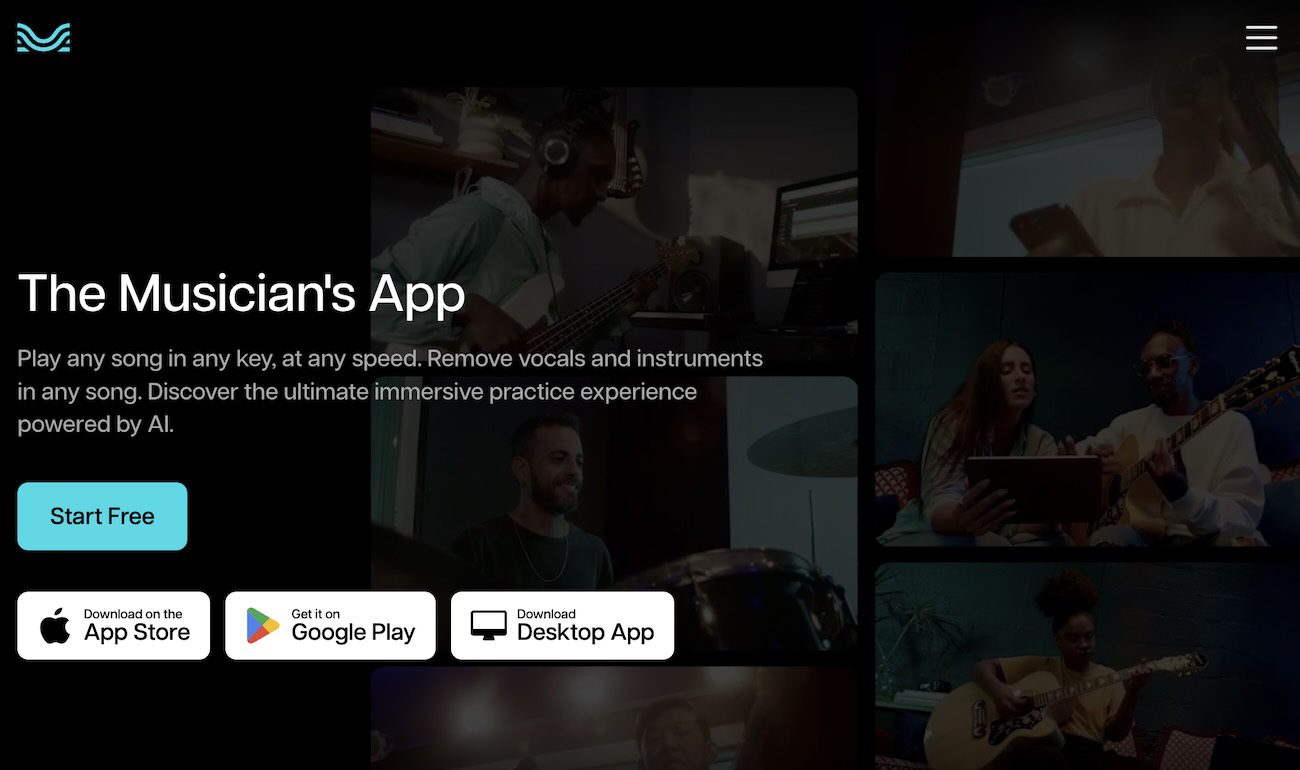
Why I picked it: On my test track, Moises handed back the cleanest vocal of the browser tools, with the doubled chorus intact and the least guitar bleed. The engine is Music AI, the company Ableton licenses for its own stem splitter, and the only vendor here that published a benchmark against the field: a 2024 study with the Federal University of Paraíba measured its average SDR 15.8% above the nearest competitor on the public MUSDB18-HQ set, against Logic Pro, LALAL.AI, RX 11, SpectraLayers, Demucs, Fadr and AudioShake. Vendor-run, so read it as a claim, but anyone with the dataset can re-run it.
Standout features:
- Guitar separation models (lead and rhythm, acoustic and electric) that push the split to 6 tracks on paid plans
- Drum Parts separation into kick, snare, cymbals and more, on Pro with the Hi-Fi model
- Smart metronome, chord finder, pitch and speed change, and lyric transcription wrapped around the stems
- Native inside Fender Studio Pro 8.1 since June 2026, and real-time guitar separation inside Blackstar Beam amps since August 2026
What is missing: The free plan is the tightest in this list at 5 tracks a month. The pricing page hides behind a login, so I’m quoting third-party figures. And Moises says nothing public about its training data.
Best for: Musicians who want to split a song, slow it down, read the chords and play along, all in one tab.
Verdict: The best-sounding browser splitter at a subscription price, and the only one that doubles as a practice room.
2. LALAL.AI: 6-stem splits and the only offline plugin

- Works in: Browser, desktop app (Windows, macOS, Linux), 7-stem VST plugin on Pro
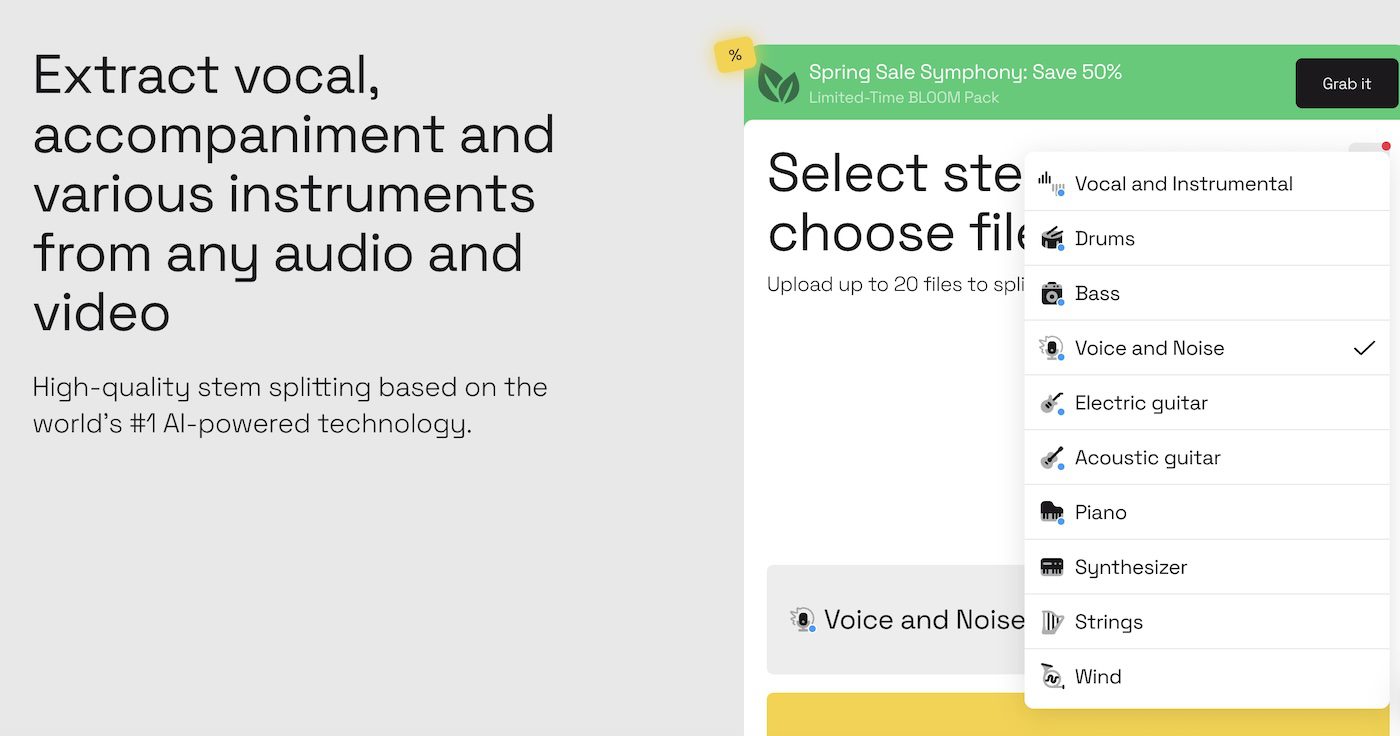
- Exports: MP3, WAV, FLAC; vocals, instrumental, drums, bass, guitar (acoustic or electric), piano, synth, strings, wind, voice and noise
- Free tier: Starter, 10 minutes in the slow queue, 200 MB per file, previews only
- Pricing: Lite 6.75 euros/mo billed yearly (81 euros), Pro 13.50 euros/mo billed yearly (162 euros); top-ups from $50 for 750 minutes
Why I picked it: LALAL.AI earns its place on stem count and workflow, not on sound. Its Andromeda network pulls 6 stems in a single pass, guitar and piano included since August 2026, and the Lyra model runs 7 stems on your own machine inside the desktop app and the VST. My walkthrough is in the LALAL.AI vocal remover guide.
On quality, it is decent and nothing more. Moises and AudioShake both beat it: LALAL’s vocal stem carried more of the guitar on my track, it finished behind Music AI on all 4 stems in that MUSDB18-HQ benchmark, and Mattie, who had used it daily for a year, called it the biggest surprise of his 12-tool test for the wrong reason, usable but mediocre next to the field. MusicRadar’s January 2026 test still scored it 15 out of 20, third of 11 tools.
Standout features:
- 11 stem types, 6 per pass, with a vocal reverb control on the vocal stem
- Desktop app with batch processing, and a VST plugin that runs offline
- Choice of network per job, including the local Lyra model on Pro
What is missing: Minute packs are gone, and the free Starter plan only previews. Minutes are charged per stem, so a 5-minute song split into 6 stems costs 30 minutes of your allowance. MusicRadar called the upsell-heavy interface clumsy, and I agree.
Best for: Producers and DJs who need guitar, piano or synth stems, and anyone who wants a plugin rather than a website.
Verdict: The most complete stem menu in the browser, and a step behind Moises and AudioShake on the stems themselves.
3. SoundBoost: best free stem splitter with a browser studio

- Works in: Browser (SoundBoost Studio), plus the iOS and Android apps, which both carry stem separation alongside the mastering engine
- Exports: MP3 stems free; HD WAV stems, 7-stem splits and the bounced mix on paid plans
- Free tier: 5 stems (vocals, bass, drums, other, metronome) with no signup, files up to 750 MB or a YouTube and SoundCloud link
- Pricing: Free; Unlimited $16/mo or $48/yr; Unlimited Plus $24/mo or $72/yr
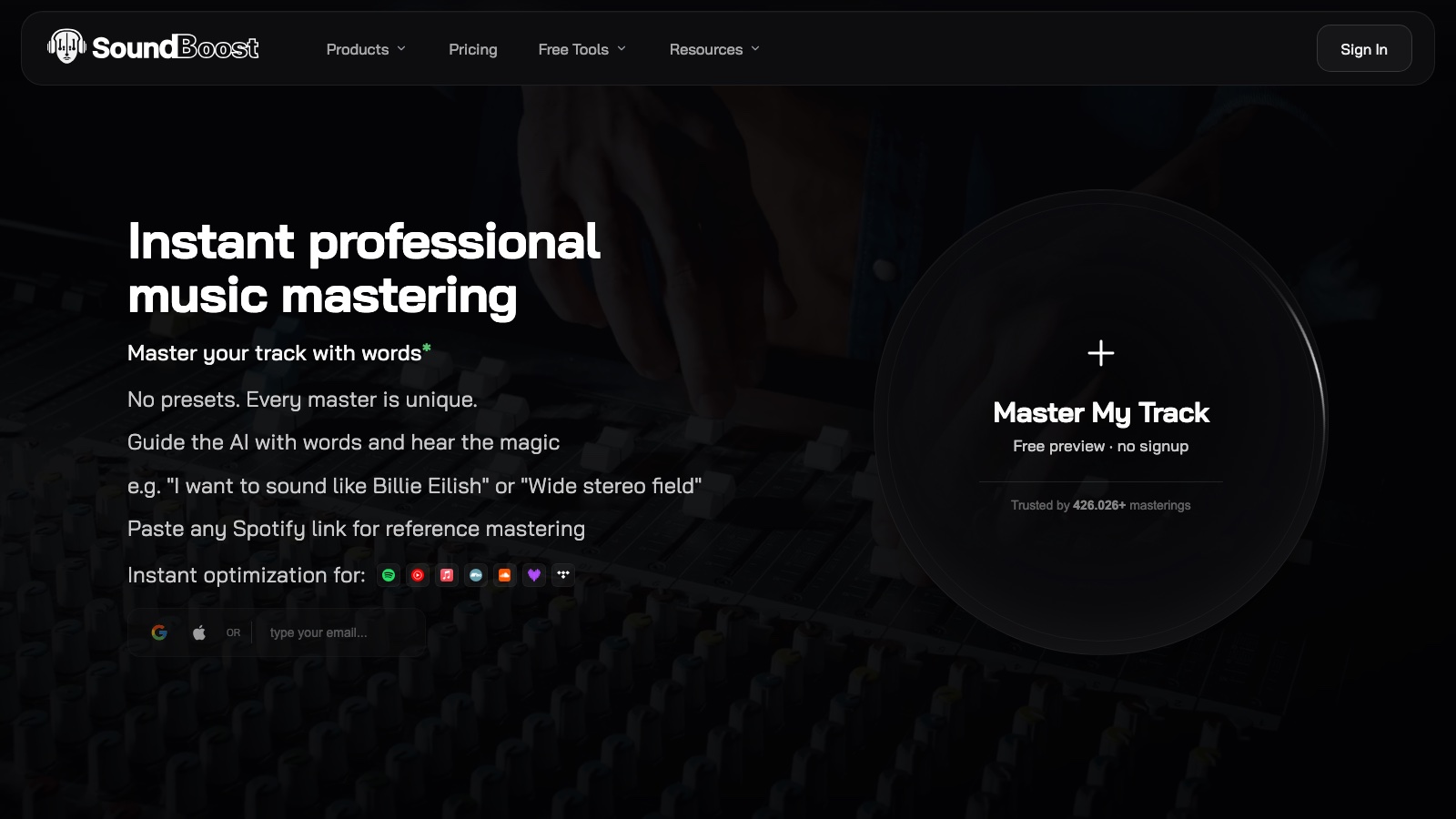
Why I picked it: SoundBoost is better known for its AI mastering suite, and its free stem splitter gives away more than anyone else in this list: 5 stems instead of BandLab’s 4, an adaptive metronome that follows tempo changes, and a browser studio with solo, mute, loop, key and BPM detection and a chord timeline. I covered the free launch in January, and the studio has grown since: chords and a Practice Mode in May, a Hi-Fi model in June, guitar and piano stems in July.
I tested it on a hybrid track of mine: guitar I recorded myself, a few Suno stems, and my own voice cloned with Controlla. The free split handed back a clean vocal, a clean guitar and a clean bass. I also ran an old recording from my former band through the 5-stem and 7-stem modes, a harder job, since a live band bleeds into every microphone. One thing to know before you upload: the free split runs the standard model. Hi-Fi separation, the bigger model, sits on the paid plans, as it does at Moises.
Standout features:
- 7-Stem mode with guitar and piano on Unlimited Plus, plus a drum sub-split into kick, snare, toms, hi-hat and cymbals
- Studio tools: loop a section, change pitch without tempo or tempo without pitch, chord diagrams for guitar, ukulele and piano
- Send to Mastering pushes your stem mix straight into SoundBoost’s online mastering engine, from a text prompt or a Spotify reference
- Accepts MP3, WAV, AIFF, AAC, FLAC, ALAC, OGG and OPUS, and states it does not train on your uploads
Guitar and piano stems: if you want to isolate guitar from a song, or pull the piano out to learn the part, SoundBoost’s 7-Stem mode does it, but it sits on the Unlimited Plus tier. BandLab wants a Membership for the same stems and LALAL.AI charges minutes. The guitar on my track came back clean; the piano stem is new (July 2026), so audition it on your own song first.
What is missing: The free tier is MP3 only and 5 stems. Hi-Fi separation, HD WAV, the 7-stem mode and the mix bounce all need a subscription, and SoundBoost does not publish its free quota (the site says “generous”). No VST plugin yet.
Best for: Musicians who practise to backing tracks and want chords, loop and metronome in the same tab, and Suno creators who want to split, tweak and master without leaving the browser. Full review on the SoundBoost tool page.
Verdict: The most complete free practice studio of the browser splitters, and the only one that ends in a mastering button.
4. BandLab Splitter: best free unlimited 4-stem splitter

- Works in: Browser, iOS, Android (Android lags on features)
- Exports: 2 or 4 stems free (vocals, drums, bass, other); up to 7 stems plus MIDI export on Membership
- Free tier: Unlimited splits, 15 minutes per file, account required
- Pricing: Free; BandLab Membership is a paid yearly plan (prices show when you log in)
Why I picked it: BandLab Splitter is the free baseline every other free tier gets measured against. No credit counter, no daily cap, and the stems open straight into BandLab’s cloud DAW. A Membership update added guitar, strings and piano stems plus MIDI export.
Standout features:
- Unlimited free splits with no watermark
- One-click hand-off into the BandLab DAW to remix on the spot
- MIDI export of separated parts on Membership
What is missing: 4 stems and a 15-minute limit on the free plan, and the instrument stems are paywalled. On my track the vocal carried more room sound than Moises or SoundBoost. BandLab also says nothing about what it trains on.
Best for: Beginners who want a free splitter and a free DAW in the same account.
Verdict: Still the free splitter with the fewest strings, now with a better free rival in SoundBoost.
5. AudioShake: best pro-grade stem separation for labels and sync

- Works in: Browser (indie.audioshake.ai) and an API for companies
- Exports: WAV at 44.1 kHz; 13 stem types including lead and backing vocals, electric and acoustic guitar, piano, keys, winds and strings
- Free tier: None
- Pricing: Indie 4 stems a month for $20 ($5 a stem), 10 for $39, 20 for $60; enterprise by quote
Why I picked it: AudioShake is the tool the labels use. Disney Music Group, EMPIRE and Netflix run their catalogs through it, LANDR Stems is built on it, and its vocal model reports 13.5 dB SDR, the best published number in this list. In January 2026 it added five more instrument stems, so it now separates lead vocals from backing vocals and electric guitar from acoustic.
Here is the honest part. AudioShake is a business-to-business product with an Indie plan attached. If you’re a Suno creator splitting a track a week, $5 a stem is the most expensive option on this page. If you’re a producer who needs a sync-ready instrumental with no bleed, it’s the cleanest stem I got on my test track, and I’d pay it.
Standout features:
- 13 stem types, the widest menu here, including winds and strings
- Works on old recordings that were never multitracked (the Jackson 5 and Nina Simone catalog examples on its site)
- Lyric transcription with word-level timing in 40+ languages
What is missing: No free plan, no practice tools, no plugin. The Indie site is a bare upload page. You pay per stem, so a 6-stem split of one song eats most of the $20 tier.
Best for: Labels, sync teams and producers who bill clients for the stems.
Verdict: The cleanest separation I heard, priced for companies rather than creators.
Which stem separation software runs locally or inside your DAW?
The two tools in this group never upload your audio. They also share one trait no browser tool has: lossless separation. Add the stems back together and you get your original mix, bit for bit. With a browser tool the sum is close but not identical, because the model reconstructs each stem rather than subtracting it. MusicRadar’s 11-tool test found only RX, SpectraLayers and UVR’s MDX-Net mode pass that null test.
6. Ultimate Vocal Remover (UVR5): best free stem splitter for lossless, local separation

- Works in: Windows 10+ installer; macOS (Apple silicon and Intel, Gatekeeper workaround required); Linux from source
- Exports: WAV (16, 24 or 32-bit), FLAC, MP3 up to 320 kbps; 2 stems per model, 4 with Demucs, 6 with htdemucs_6s (guitar and piano)
- Free tier: Everything, MIT licence, GPU with 6 GB of VRAM recommended (GTX 1060 minimum), CPU works but slowly
- Pricing: Free; optional VIP models through Buy Me a Coffee, Patreon at $5 a month
Why I picked it: Ultimate Vocal Remover is the tool producers on r/edmproduction recommend before anything else (13 of 97 comments in the main thread, with the top reply saying it beat LALAL.AI every time, even after LALAL’s new model). The open models it runs are the same families that top MVSEP’s public leaderboard, its MDX-Net stems null against the original, and your audio never leaves the machine.
What it costs you is time. The last stable release is v5.6 from September 2023, the newer BS-Roformer models only ship in beta builds from early 2025, and on a Mac you have to disable Gatekeeper to open it. MusicRadar refused to do that for its test. I did.
Pro tip: the question every UVR thread asks is which model to pick. Lead vocals: Kim Vocal 2. Instrumentals: MDX23C-InstVoc HQ with BS-Roformer-Viperx-1297 in a Min/Min ensemble. Backing vocals: UVR-MDX-NET Karaoke 2. Then run UVR-DeEcho-DeReverb on the vocal stem. On MVSEP’s Multisong leaderboard, the Viperx BS-Roformer edition measures 10.87 dB SDR on vocals and 17.17 dB on the instrumental, and the best public model anyone has posted (MVSEP’s own BS Roformer 124 bands, July 2026) sits at 12.33 and 18.64.
Standout features:
- A model library covering VR, MDX-Net, MDX23C, Demucs v4 and Roformer (beta), with an Ensemble mode that blends several models into one result
- De-reverb, de-echo, denoise and karaoke models for cleaning a stem after the split
- GPU acceleration on NVIDIA (CUDA) and Apple silicon (MPS), with batch conversion
What is missing: The interface is a long column of dropdowns and checkboxes, and picking the right model means running the same song through 3 or 4 of them. No mobile app, no chords, no practice tools, and the piano stem from htdemucs_6s has, in Meta’s own words, “a lot of bleeding and artifacts”.
Quick rule: “UVR online”, uvronline.app, x-minus.pro and uvrvocalremover.com are not Ultimate Vocal Remover. The project has no web version. Free means download it from GitHub.
Best for: Producers with a gaming GPU who want the cleanest free stems and don’t want to upload their audio.
Verdict: The quality ceiling of free stem separation, paid for in setup time instead of money.
7. iZotope RX 12 Music Rebalance: best for engineers who already own RX
- Works in: AU, VST3 and AAX plugin in Logic Pro 12, Pro Tools 2025, Ableton Live 12, Cubase and Nuendo 15, Fender Studio Pro 8, Reaper 7, FL Studio 25, Premiere and Audition 2026, DaVinci Resolve 19; standalone RX editor on macOS 14.7+ and Windows 10 and 11
- Exports: 4 stems (vocals, bass, percussion, other) inside your session
- Free tier: None
- Pricing: One-time: Elements $99, Standard $399, Advanced $1,399; upgrades $129 and $269
Why I picked it: iZotope RX 12 shipped on April 28, 2026, and Music Rebalance now runs as a real-time plugin, so you can turn a vocal down inside a full mix without exporting anything. It is still the only separation tool with spectral repair next to it, which is how you fix the artefacts every splitter leaves behind.
Standout features:
- Real-time Music Rebalance plugin, plus Stems View and Scene Rebalance in RX 12 Advanced
- Lossless: the 4 stems sum back to your original mix
- Spectral Editor with ARA in Logic Pro and Studio Pro 8, so repairs happen in place
What is missing: 4 stems in 2026, when LALAL, Logic and AudioShake split guitar and piano. Music AI’s MUSDB18-HQ benchmark lists iZotope among the tools that trail its numbers, Music By Mattie’s verdict on RX 11 was the harshest in his 12-tool test (fantastic for repair, clunky and weak for stems), and RX 12 changed the plugin format, not the stem count. Buying RX for stem separation alone makes no sense at $399.
Best for: Mixing and post engineers who already own RX and need a stem rebalanced inside a session.
Verdict: The lossless, repairable option, and the wrong purchase if stems are all you need.
Which DAWs have built-in stem separation (Logic Pro, Ableton Live, FL Studio)?
Before you pay for any of the above, open your DAW. Logic Pro’s Stem Splitter separates vocals, drums, bass, guitar, piano and other on Apple silicon Macs, and MusicRadar named it the winner of its 11-tool test at 16 out of 20. Ableton Live 12.4 Suite ships a stem splitter powered by Music AI (the Moises engine) with High Speed and High Quality modes; Music By Mattie’s 13-song test preferred it over Logic, FL and Cubase, and a 2026 r/abletonlive comparison found it left more artefacts than LALAL.AI but bled less. FL Studio’s built-in separation runs on Demucs, and my FL Studio 2026 guide covers where to find it. If your tracks come from Suno, the Suno stem separation guide compares Suno’s own split against these tools.
Which stem splitter is best for vocals, backing vocals, drums, bass, guitar and piano?
One tool rarely wins every stem. The picks below lean on Mattie’s 13-song, 12-splitter test, on my own splits, and on MVSEP’s Multisong leaderboard, which scores 100 songs against their real stems. The pattern is the same in all three: vocals and instrumentals separate best, drums and bass next, guitar and piano last.

Best stem splitter for vocals: Ultimate Vocal Remover, Moises and AudioShake

- Best overall: UVR with the Kim Vocal 2 model. Cleanest lead vocal in Mattie’s test, reverb tails intact, fewest transient clicks.
- Best in the browser: Moises.
- Best if you pay per stem: AudioShake, whose vocal model reports 13.5 dB SDR, the best published number on this page.
- Best free: SoundBoost, 5 stems and no signup. Its Hi-Fi model, the bigger one, is paid.
- Watch out: stacked harmonies bleed. One voice over 2 acoustic guitars separated well on every tool. A wall of backing vocals did not.
Best stem splitter for backing vocals: Moises

- Best overall: Moises. Best lead-versus-backing split in the 13-song test, and the same model mutes the harmonies if you want a background vocal remover.
- Best free: UVR’s Karaoke 2 model, running on your own machine.
- Label grade: AudioShake, which added separate lead and backing vocal stems in January 2026.
- Watch out: most splitters dump lead and backing into one vocal stem. Check the stem list before you pay.
Best stem splitter for instrumentals: Ultimate Vocal Remover

- Best overall: UVR with MDX23C-InstVoc HQ, the winner of Mattie’s instrumental test.
- Best free: SoundBoost or BandLab, both free in the browser.
- Why it is the easy one: instrumental scores highest of any stem on MVSEP’s leaderboard, 18.6 dB for the best public model against 12.3 dB for vocals.
- Quick rule: every tool here makes a usable karaoke track or remix bed, so choose on workflow, not on sound.
Best stem splitter for drums: no single winner, Moises Pro or SoundBoost Plus for the kit

- For one drum stem: any tool on this page pulls the full kit out. SoundBoost and BandLab do it free.
- For the kit split into kick, snare, hi-hat and toms: Moises on Pro ($9.99 a month, Hi-Fi model), or SoundBoost on Unlimited Plus ($72 a year, which also buys the 7-stem mode and the mastering engine).
- Cleanest drum stem: AudioShake. You pay per stem, and it came back with the least cymbal wash of anything I ran.
- Why: drums came out better than bass on every tool in the 13-song test.
- Watch out: programmed kits split cleaner than played acoustic kits, and no tool won the drum stem outright.
Here is the paid kit split in SoundBoost Studio: the Drums lane collapses into a group, and kick, snare, toms, hi-hat and cymbals each get their own lane with solo, mute and volume.

Best stem splitter for bass: AudioShake and Moises, then re-record it

- Best overall: AudioShake, which handed back the most usable bass of the 7 tools on my track.
- Best in the browser: Moises. Mattie’s pick, and mine.
- Best free: SoundBoost, which handed the bass on my track back clean.
- Watch out: every splitter keeps the sub, roughly 200 Hz and below, and loses the top end that makes a bass cut through on small speakers. Some drop the pick and finger transients with it.
- Quick rule: for a release, re-play the line or ask the artist for the original stem.
Best stem splitter for guitar and piano: AudioShake and Moises, SoundBoost on Plus

- Cleanest guitar stem: AudioShake, which splits electric guitar, acoustic guitar, piano and keys as their own stems from a 13-stem menu. It is the one I would pay per stem for.
- Best on a subscription: Moises. Nothing else here splits a guitar this far: lead, rhythm, acoustic and electric as separate models on Premium and Pro.
- Free-tier bonus: SoundBoost pulls guitar and piano too, but only in 7-Stem mode on Unlimited Plus. Its free 5-stem split leaves them in the “other” bucket. It gave me a clean guitar on my own hybrid track.
- Also splits them: LALAL.AI’s Andromeda, BandLab Splitter on Membership, and UVR’s htdemucs_6s model for free.
- Piano: unranked here. It is the newest stem on most of these tools, it was not in Mattie’s test, and I have no result of my own I would print. Audition it on your own song before you pay.
- Watch out: this is the bleed zone. The “other” bucket where guitar and piano live scores about 9 dB on MVSEP’s leaderboard against 12.3 dB for vocals, and Meta’s own Demucs notes say the piano stem has “a lot of bleeding and artifacts”.
How do you use an AI stem splitter step by step?

The flow is the same whether you use a browser tool, a desktop app or a plugin:
- Start from the best file you have. WAV or FLAC beats MP3. A 128 kbps MP3 has already lost the high end the model reads, so the stems warble more.
- Pick the split. Choose 2 stems (vocal and instrumental) for karaoke or a remix bed, 4 for a full rebuild, 6 or more when you need the guitar or piano on its own. In SoundBoost Studio that’s upload, Start Splitting, and the stems open in the studio. In RX 12, open Music Rebalance and pull the sliders.
- Listen before you download. Solo each stem and check bleed on the vocal, the top end on the bass, and the reverb tails. If a tool offers a high-quality mode (Moises Hi-Fi, SoundBoost Hi-Fi, LALAL’s network choice, Ableton’s High Quality), run it now rather than fixing artefacts later.
- Clean and import. Export WAV where you can, drag the stems into your DAW, and line them up on the grid. Artefacts you can’t live with get RX Spectral Repair or UVR’s de-reverb and denoise models.
How to choose the best stem splitter for your workflow
Start with the stem count you need, then check the limit that will block you:
- Stem count: 4 stems covers karaoke, remixes and most practice. Guitar, piano and backing vocals need LALAL.AI, SoundBoost Plus, AudioShake or Moises paid.
- Free limits: count uploads (Moises, 5 a month), minutes (LALAL.AI, 10), file length (BandLab, 15 minutes) or size (SoundBoost, 750 MB) against your actual month.
- AI model and updates: open models (Demucs, MDX-Net, BS-RoFormer) get new versions monthly on MVSEP and UVR; Logic and RX update once a year.
- Export format: free tiers hand back MP3. WAV usually sits behind the paywall.
- Where your audio goes: browser tools upload it. SoundBoost states it doesn’t train on uploads; Moises, LALAL.AI and BandLab publish no such line. UVR and RX never send it anywhere.
- Plugin or website: if you split stems every session, LALAL.AI’s VST, LANDR Stems or your DAW’s own splitter saves the upload loop.
- Licence on the source: a stem pulled from someone else’s record is a derivative of that record. Fine for practice and study, cleared before release.
Recap
- Best browser stem splitter: Moises for quality and practice, LALAL.AI for 6 stems and the plugin.
- Best free stem splitter: SoundBoost in the browser (5 stems, no signup), UVR5 on the desktop (lossless, needs a GPU), BandLab for unlimited 4-stem splits.
- Best pro-grade: AudioShake, if you bill for the stems.
- Best inside a DAW: RX 12 if you own it, otherwise the splitter your DAW already has.
Start free, then pay for the stems you need
You don’t need a subscription to start. SoundBoost, BandLab, Moises and LALAL.AI all split for free, UVR is free outright, and Logic, Ableton and FL Studio owners already paid. That covers karaoke tracks, practice stems and a first remix.
Starting free also tells you which limit you’ll hit first, and that decides what to pay for. I hit Moises’ 5-track cap in a weekend and LALAL’s 10 free minutes in one song.
At scale, 3 things sit behind paid plans on almost every tool here: the high-quality model (Moises Hi-Fi, SoundBoost Hi-Fi, LALAL’s fast queue), WAV exports, and the instrument stems past 4. Pay for those when the free stems stop being good enough for the record, and not before.
My take on AI stem splitters in 2026
Four-stem separation is solved. Every tool in this list gives you a usable vocal, drums and bass from a stereo file, which was science fiction when I started remixing. Better tech raised the floor, and now the floor is free.
The ceiling moved. The fight in 2026 is guitar versus piano versus backing vocals, lossless versus reconstructed, and whether your audio has to leave your machine to get there. None of those are solved, and the tool that wins them for you depends on the song in front of you. So split it 3 ways, listen to the piano stem on each, and keep the one you’d put on a record. The model does the separating. You still do the choosing.
Frequently asked questions
What is an AI stem splitter?
An AI stem splitter is software that takes a finished song and separates it back into its parts, called stems: vocals, drums, bass and the rest. It uses a machine-learning model trained on thousands of multitrack recordings to recognise each instrument inside the mix. You upload a track, pick the stems you want, and download them as separate audio files.
What is the best free AI stem splitter in 2026?
SoundBoost is the best free stem splitter in the browser: 5 stems with a metronome, no signup, files up to 750 MB, and a practice studio with chords and looping. BandLab Splitter is the free alternative with unlimited 4-stem splits and a 15-minute cap. If you want the cleanest free stems and own a desktop with a GPU, Ultimate Vocal Remover (UVR5) beats both, at the cost of setup time.
How accurate are AI stem splitters?
The best public models separate vocals at 11 to 12.3 dB SDR on MVSEP's Multisong leaderboard (100 songs, July 2026), and AudioShake reports 13.5 dB for its vocal model on MUSDB-HQ. SDR measures how much of the original signal survives without bleed; the untouched reference stems score 114 dB on the same test, so every AI split is a long way from perfect. Vocals, drums and bass are reliable in 2026. The other stem, where guitar, piano and synths land, scores around 9 dB for the best model, which is why those parts still bleed, and every tool loses some top end on bass.
Which AI models power stem splitters (Demucs, MDX-Net, BS-RoFormer)?
Most consumer tools run one of four open model families or a private cousin of them. Demucs (Meta) powers FL Studio and most 4-stem splitters. MDX-Net and its MDX23C update run inside UVR5 and give lossless vocal stems. BS-RoFormer and Mel-RoFormer are the newest and lead the public SDR leaderboards. LALAL.AI runs its own networks (Andromeda in the cloud, Lyra on your machine), Ableton licenses Music AI, the company behind Moises, and LANDR Stems runs on AudioShake.
Is Ultimate Vocal Remover better than LALAL.AI or Moises?
On measured quality, the open BS-Roformer and MDX-Net models UVR runs sit at the top of MVSEP's public Multisong leaderboard (11 to 12.3 dB SDR on vocals), and UVR's MDX-Net stems null back to the original mix, which no browser tool manages. Moises' engine holds the only vendor benchmark against the field, 15.8% higher average SDR than its nearest rival on MUSDB18-HQ, and LALAL.AI has published no SDR at all. So UVR wins on quality and privacy. Moises and LALAL.AI win on everything else: no install, no GPU, chords and practice tools, and 6 stems in one click.
Which AI stem splitter can isolate guitar or piano from a song?
SoundBoost (7-Stem mode on Unlimited Plus), LALAL.AI (Andromeda, 6 stems including guitar and piano), AudioShake (electric guitar, acoustic guitar, piano and keys as separate stems) and BandLab Splitter (guitar, strings and piano on Membership) all isolate guitar and piano. Moises adds lead, rhythm, acoustic and electric guitar models on its paid plans. Piano is the least proven stem on every tool: Meta's Demucs notes flag bleed and artefacts on it, and the 'other' bucket it belongs to scores about 9 dB SDR on MVSEP's leaderboard, against 12.3 dB for vocals.
Does AI stem separation work on MP3 files or do I need WAV?
It works on MP3, and every tool in this list accepts it. The stems will be worse: a 128 kbps MP3 has already thrown away the high frequencies and stereo detail the model uses to tell instruments apart. MVSEP measured the cost on its reference stems: 114 dB SDR as WAV, 35 to 38 dB as a 320 kbps MP3, 20 dB as a 128 kbps MP3, before any AI model touches them. If you have the WAV or FLAC, use it.
Are there AI stem splitter tools compatible with popular DAWs?
Yes. iZotope RX 12 runs as an AU, VST3 and AAX plugin in Logic Pro 12, Pro Tools 2025, Ableton Live 12, Cubase 15 and FL Studio 25. LALAL.AI sells a 7-stem VST plugin on its Pro plan, and LANDR Stems is a plugin built on AudioShake. Logic Pro, Ableton Live 12.4 and FL Studio 2025 also ship their own stem splitters, so check your DAW before you buy anything.
About the author

Covering AI music tools, industry shifts, and news for music creators and professionals. Twice-weekly newsletter at aimusicpreneur.com.